
Guide for clinic owners
Google Business Profile for doctors and clinics
How to get a clinic onto Google Search and Maps, then keep it there: claiming, categories, services, hours, photos and reviews, in the order that matters.
14 July 2026 · 9 min read · CareInflow
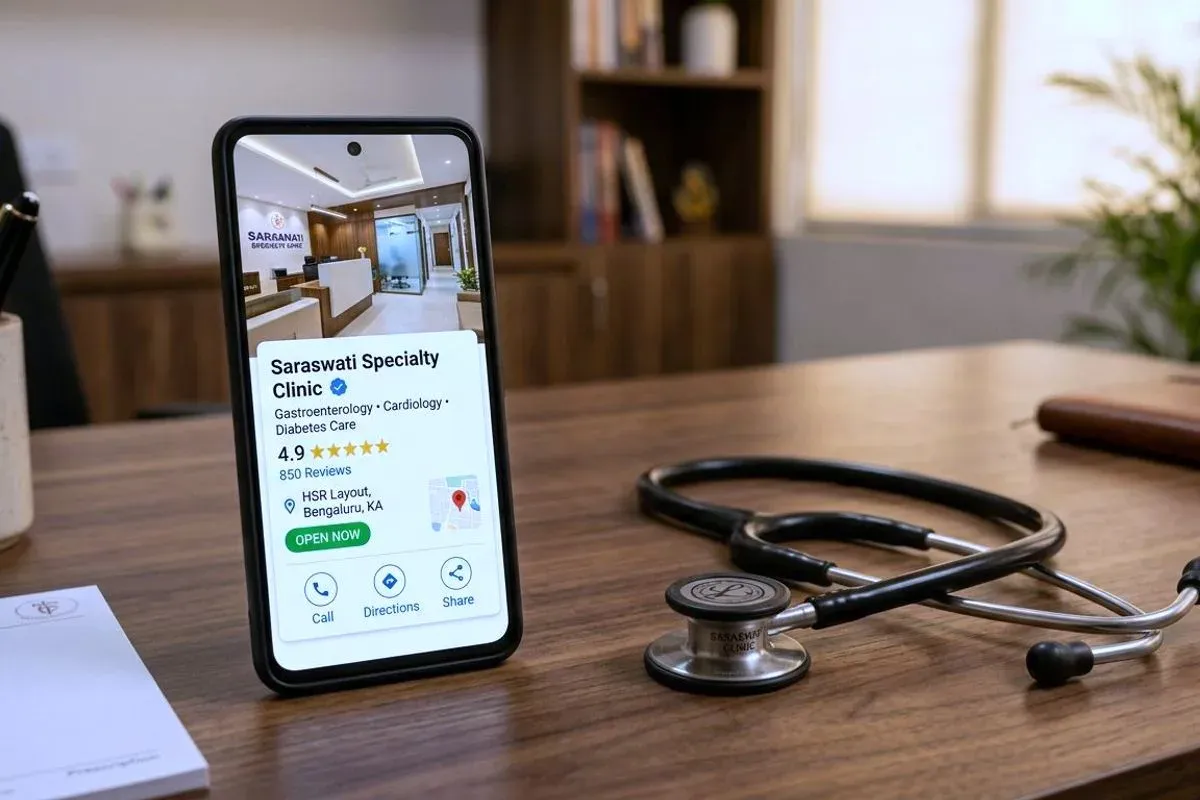
If you measured where patients first see your practice, the winner would almost certainly not be your website. It would be your Google Business Profile: the panel with the map, stars and photos that appears when someone searches your name or “clinic near me”.
Most practices have never deliberately managed it. This guide covers what matters, in order.
What is a Google Business Profile?
Google Business Profile (GBP, formerly Google My Business) is the free listing Google shows in Maps and local search results. You do not create the demand, patients are already searching, you only control what they find. An unclaimed or unmanaged profile still appears; it is just wrong more often.
How do you get your clinic to show on Google Search?
Start by searching your clinic’s name, because the answer changes what you do next.
If a listing already appears, claim it. Do not create a new one. Google often generates listings for practices from other sources long before the practice notices, and creating a second one gives you two competing listings for the same clinic. That splits your reviews, confuses the map, and is genuinely tedious to unpick later. On the existing listing, look for “Claim this business” or “Own this business?”.
If nothing appears at all, create the profile from Google’s own Business Profile page. You will need the practice name exactly as it appears on your signage, the street address, a category, and a phone number that reaches the clinic.
Either way it ends in verification, which is Google confirming you are really there. For clinics this is usually a short video showing the premises, your signage and something proving you can access the space. Nothing is public until verification completes, so it is worth doing the day you start rather than a fortnight later.
One decision specific to healthcare: a practice and an individual practitioner can each hold their own listing. A single-doctor clinic usually wants one. A practice with several named consultants patients search for by name may reasonably want a listing for the practice and one per practitioner, kept consistent with each other.
Why does your category matter most?
Your primary category tells Google what searches you belong in. “Dental clinic” versus “Dentist” versus “Cosmetic dentist” produce different visibility. The most common mistake we see is a generic category (“Medical clinic”) on a specialist practice, which forfeits specialist searches entirely. Set the most specific accurate primary category, then add secondary categories for genuine additional services.
What photos should a clinic upload?
Listings with real, recent photographs earn more calls and direction requests. Patients are looking for evidence: the actual reception, the actual equipment, the actual people. Upload real photos, replace them as the practice changes, and never use stock imagery, patients recognize it instantly, and it reads as having something to hide.
Why do wrong opening hours cost you visits?
“Open now” filters results. Wrong hours do worse than lose a visit, a patient who arrives at a closed clinic remembers it. Holiday hours (Diwali, Uttarayan, public holidays) need updating every time, which is exactly the kind of small recurring task that a managed profile handles on schedule.
How should a clinic handle reviews?
Reviews decide the first cut. Three practical rules:
- Make reviewing effortless for genuinely happy patients: a QR code at the desk or a WhatsApp link after a visit.
- Reply to everything: including, especially, critical reviews. A calm, professional reply is read by every future patient.
- Never buy reviews. Google detects spikes and purchased patterns; removal and lost trust cost far more than the shortcut earned. Patient privacy also limits what a reply may reveal, replies should never confirm details of anyone’s treatment.
Why must your details match your website?
Google cross-checks your listing against your website and other directories. Name, address and phone number must match exactly, everywhere. Mismatches, an old number on a directory, a differently spelled address, quietly erode local ranking. This is one reason profile management and local SEO work best as one effort.
What ten-minute check can you do today?
Search your clinic’s name in an incognito browser tab and check: Is the category specific and correct? Are the photos real and less than a year old? Are today’s hours right? Is the newest review answered? Does the website link work, and does the site show the same phone number?
If any answer is no, you have found this month’s highest-return marketing task.
What happens after the listing is right?
A correct profile gets you into the running. What decides where you place among the clinics already there is the rest of the local-search picture: the pages on your website that match what patients type, your details agreeing everywhere they appear, and how quickly the site opens on a phone. Local SEO for doctors and clinics sets out how those pieces fit together, and what differs by specialty.
If you would rather not run this yourself, we manage clinic listings monthly, and an audit of your existing profile is included free in every website package.